


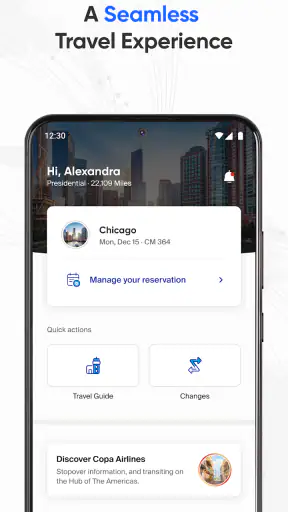
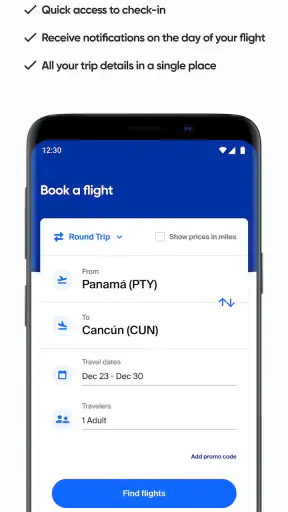
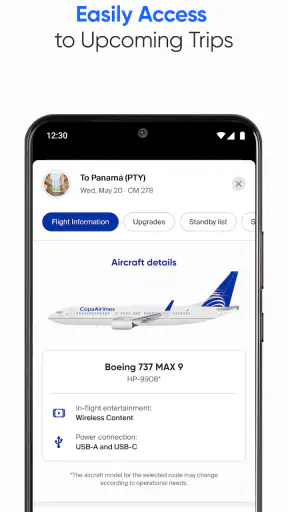
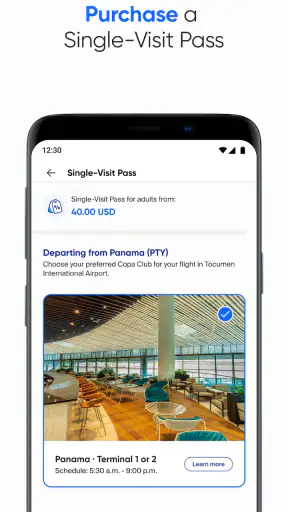
When I travel with Copa Airlines, I want the airline’s app to do more than display a logo and a booking button. I want a dependable place to check a reservation, prepare for airport steps, and make decisions without feeling pushed into sharing more than necessary. After using Copa Airlines as a travel companion, I found an app that is most useful when it is connected to a specific Copa journey rather than treated as a complete travel organizer.
This is a free Travel & Local app from Copa Airlines for everyone, and its practical value comes from putting airline-related tasks in one mobile space. It is not trying to replace a general trip planner, a map app, or a broad flight-comparison service. That distinction matters: the app makes the most sense once Copa is already part of your travel plan.
What I noticed about trust and everyday control
My first impression was shaped less by visual polish than by context. An airline app handles information connected to reservations and journeys, so I pay attention to where I am tapping, what I am asked to enter, and whether an action is clear before I confirm it. Copa Airlines feels like an airline-specific tool rather than an anonymous travel marketplace, which makes the purpose of each screen easier to understand.
That does not mean I would use it without checking every important detail. Travel information can change, and an app should support careful verification rather than replace it. I still compare the itinerary shown in the app with my booking confirmation, especially after making a change. The app is helpful as a convenient reference, but I would not treat a phone screen as the only record for a complicated international trip.
The developer is Copa Airlines, and the app has built a substantial audience: it has more than a million installs, an average rating of 3.8 from around 9,000 ratings, and hundreds of written reviews. Those figures suggest a service that many travelers have tried, while the middling rating is also a useful reminder that airline apps are judged during stressful moments. A smooth experience at home is one thing; finding the right information close to departure is another.
The app first appeared in 2016 and is currently listed as version 17.2.16. It requires at least operating system version 10. That requirement is worth checking before a trip, particularly if you use an older phone that you keep as a backup. A free download is convenient, but the real cost of relying on it is attention: I would install it before leaving home, sign in calmly, and review the relevant screens while I still have time to use another channel if something looks wrong.
Where the app fits better than the usual alternatives
A general flight-search app is usually better for comparing airlines, exploring routes, or watching several booking options at once. A mobile wallet may be better for storing a boarding document that I have already received. An airport app may offer broader terminal information. Copa Airlines has a narrower advantage: it keeps Copa-related travel tasks closer to the airline that operates the booking.
That narrower focus can reduce mental clutter. I do not have to move between a search service, a separate airline website, and a message inbox for every small check. On the other hand, the app is not the right first choice for someone who has not decided which airline to fly. It cannot replace comparison shopping, and it is not a universal dashboard for every carrier on a multi-airline itinerary.
I also would not make it my only tool if my trip involves several airlines, separate tickets, or complicated connections. In that situation, I use the Copa app for the Copa portion and keep the full itinerary elsewhere. This split approach is less elegant than having one universal planner, but it is safer than assuming one airline app can represent every part of a mixed booking.
How I handle account and booking access
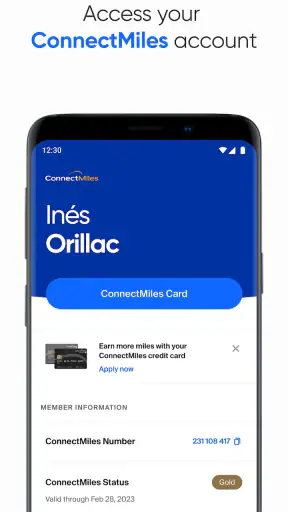
One of the most important practical questions is whether I should create an account immediately. My advice is to start with the task you actually need. If I am checking a reservation, I look for the booking-access route first and avoid creating an account simply because an app presents one as the most obvious path. If an account is useful for managing future trips, I can decide that after I understand what it gives me.
This is a small but meaningful privacy habit. I prefer to separate “I need to view this trip” from “I want a lasting relationship with this airline account.” Those are not always the same decision. The app is more trustworthy to me when I can see what action I am taking and why a sign-in or booking reference is needed, rather than entering personal details automatically just to explore.
I also keep my confirmation details available in another place. That might be an email, a saved document, or a note stored securely on my phone. If the app logs me out, the network is unreliable, or I change devices, I do not want to be locked out of the information needed to identify my booking. This is not a criticism unique to Copa; it is a sensible travel workflow for any airline application.
For a family trip, I would be especially careful before saving or entering another traveler’s information. I check whose reservation I am viewing and who is authorized to make changes. A shared phone can blur those boundaries, so I avoid leaving the app open on a booking when someone else may use the device. Convenience is valuable, but it should not remove basic control over travel details.
Data-sensitive moments I would approach carefully
Airline apps naturally bring together information that deserves attention: names, booking references, travel dates, and details connected to a journey. I do not assume that a free price means there is no privacy trade-off. Instead, I look for the purpose of each request and provide only what is needed for the task in front of me.
When I am at home, I use a trusted connection and take time to read the screen before confirming anything. At an airport, I avoid making sensitive changes while distracted in a crowded queue. If I need to use public Wi-Fi, I prefer to complete account or booking work before reaching the terminal. The app can be useful under pressure, but pressure is exactly when I am most likely to approve the wrong action.
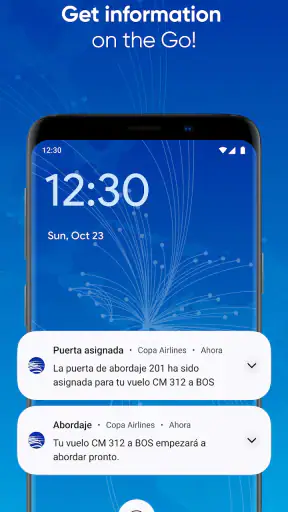
Notifications are another area where I want a visible choice. Travel alerts can be valuable, especially when timing matters, but I do not automatically enable every notification category without considering what will appear on a locked screen. If the phone is shared or visible to others, a notification can reveal travel dates or destinations. I review the system’s notification controls and keep only the alerts that genuinely help me.
Location access deserves the same caution. An airline app may be more convenient when it knows where I am, but convenience is not automatically necessary for every task. I prefer to grant location access only when the app clearly needs it for something I intend to use, and I revisit that choice later. If a task works without location, I do not see a reason to turn it on simply because it is offered.
The same principle applies to contacts, photos, camera access, and other phone resources: I treat each permission as a separate decision, not as a package deal. I do not infer that the app uses or stores any particular category of information beyond what is visibly requested in my own installation. That restraint is important. A responsible review should distinguish between a control I can see and a claim about invisible data handling that I cannot personally verify.
Small workflows that make a real difference
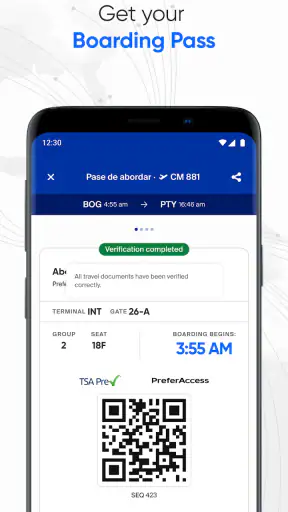
My most useful workflow is to prepare in two passes. First, I open the app well before departure and confirm that I can access the relevant trip. Second, closer to travel, I reopen it and check that the information still matches my latest confirmation. This catches a surprisingly common human problem: relying on an old screenshot or an itinerary that changed after the first booking.
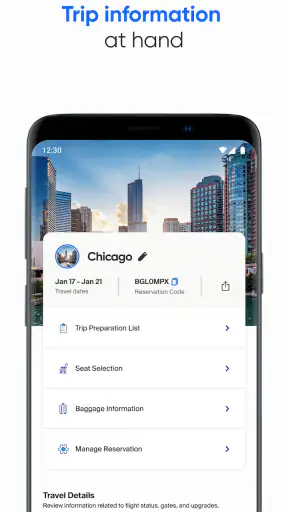
I also take a moment to inspect the full itinerary rather than looking only at the next flight. Dates, airports, connection points, and passenger names are easy to skim past on a small screen. Reading the complete sequence helps me notice a wrong date or a connection that I remembered differently. The app is most valuable here as a focused review tool, not merely as a place to tap through the fastest possible check-in path.
A second practical tip is to keep a fallback ready before I need it. I save the booking confirmation separately and know how to reach Copa through another official channel if the app becomes unavailable. I do not depend on a single battery-powered device for a high-stakes journey. The app can reduce friction, but redundancy is still the better travel habit.
A third tip concerns shared travel. If I am managing a reservation for someone else, I confirm the passenger and booking details before taking an action. I avoid making changes while multitasking, and I close the session afterward. This is particularly useful when one person organizes travel for a family or group: the app may simplify access, but the person holding the phone still has a responsibility to check exactly whose trip is being managed.
Finally, I treat updates as part of preparation rather than something to postpone until the airport. The current version is 17.2.16, and keeping the app reasonably current can prevent avoidable compatibility problems. I would not update moments before boarding unless necessary, though; I prefer to update earlier, open the app afterward, and make sure my access still works.
Who will appreciate it, and who should skip it
I think this app suits Copa passengers who want airline-specific access on a phone and prefer to handle travel tasks without repeatedly opening a browser. It is also useful for people who organize trips for relatives and want a direct place to review a Copa itinerary. The free price and everyone age rating make it easy to consider, but suitability still depends on how much of your journey belongs to Copa.
I would recommend it most strongly to a traveler with a straightforward Copa booking, a reasonably current phone, and a preference for checking details independently. It can also help a cautious traveler who likes to prepare early, because the app gives a dedicated place to confirm access before the airport becomes hectic.
I would be less enthusiastic for someone who only wants to compare fares across airlines. A general travel service is better for that. I would also skip relying on it as the sole organizer for a multi-carrier itinerary, a trip spread across separate reservations, or a journey where another person needs to manage every airline in one view. In those cases, the Copa app can still have a role, but it should be one component rather than the whole system.
People who dislike creating airline accounts or entering booking information on mobile may also find the experience less appealing. The app’s value depends on being willing to connect it with a real trip. If I only want destination inspiration or broad local travel guidance, this is too specialized for my needs.
What I would check before depending on it
Before traveling, I would answer a few practical questions through my own use of the app. Can I open the correct reservation? Can I identify every traveler and segment? Do the displayed details match my latest confirmation? Can I find the action I need without guessing? If the answer to any of these is no, I would stop and use another official route rather than repeatedly tapping until something changes.
I would also check whether my phone meets the operating system requirement and whether I have enough battery for the airport. A digital travel tool is only useful when the device is available, charged, and able to connect. I keep an offline backup of essential confirmation details because airport connectivity can be unpredictable, even when the app itself is functioning normally.
For privacy, I review the permissions visible in the phone’s settings after installation, not only during the first launch. I consider whether notifications expose information on the lock screen, whether location access is necessary for my intended use, and whether I want the app to remain signed in. These choices give me more control than accepting every prompt quickly.
For account control, I use a strong, unique password if an account is required or useful, and I avoid sharing it through casual messages. I sign out on a borrowed device and remove saved access from phones that are no longer mine. The app cannot make those decisions for me; its role is to provide the travel interface, while I remain responsible for how access is maintained.
My cautious verdict after using it
The strongest reason to install Copa Airlines is focused convenience, not broad travel coverage. It gives Copa passengers a direct mobile companion for handling their airline journey, and its free availability removes a financial barrier to trying it. I appreciate that focused design when I already have a Copa booking and want fewer steps between me and the information I need.
My recommendation comes with sensible limits. I would not use it as a replacement for comparing airlines, as the only record of a complex itinerary, or as a reason to grant every phone permission without thought. I would prepare early, verify the complete booking, keep a backup, and review notifications and access settings. Those habits make the app more useful while preserving my control.
Overall, Copa Airlines is a reasonable choice for Copa travelers who value a dedicated airline app and are comfortable managing their own account and booking decisions. The average rating shows that the experience is not universally smooth, so I would install it before the trip rather than discovering its strengths and weaknesses during a rushed airport moment. For a simple Copa journey, I would keep it on my phone; for a mixed-airline trip, I would use it selectively alongside a broader itinerary tool.


